Mastering Your Visual Story with Gaston - Google Slide Presentation
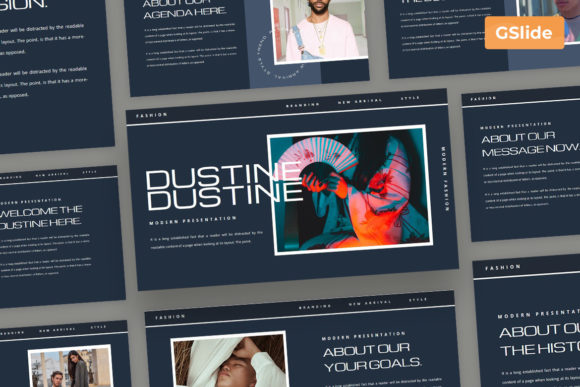
Creating a presentation that captures attention and communicates your message clearly is often harder than it looks. Many professionals, from agency owners to freelance designers, spend hours tweaking alignment or searching for the right image, only to end up with slides that feel cluttered or inconsistent. This is where a well-structured template becomes more than just a time-saver; it becomes a strategic asset. The Gaston - Google Slide Presentation is designed specifically to bridge the gap between amateur efforts and professional polish. Whether you are pitching a new fashion line, organizing a business strategy, or showcasing an artist's portfolio, having a solid foundation allows you to focus on your content rather than fighting with formatting tools.
However, simply downloading a premium template does not guarantee a great presentation. A common misunderstanding among users is believing that a high-quality design file will automatically fix poor content structure or lazy customization habits. When people acquire resources like the Introducing Gaston Presentation Template, they sometimes overlook the importance of adapting the layout to their specific narrative. If you treat the template as a rigid cage rather than a flexible framework, you risk producing a deck that looks generic or, worse, confusing. To get the most out of this tool, you need to approach it with a mindset focused on clarity and adaptation.
Avoiding the Trap of Over-Customization
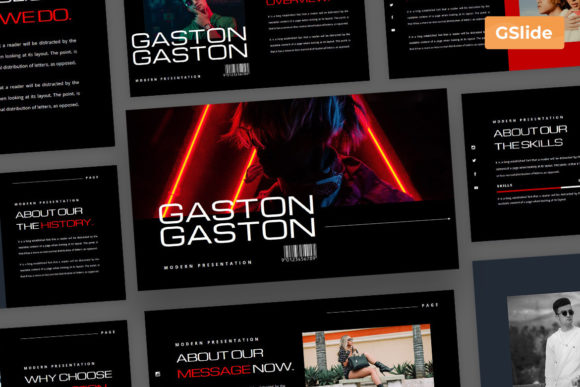
One of the most frequent mistakes users make when working with versatile templates is over-customizing the core elements. The Gaston template features modern, minimalist, and elegant layouts that have been carefully balanced by designers. When users start changing every single color, font size, and spacing without a cohesive plan, they often break the visual harmony that makes the template effective. This can lead to a final product that feels disjointed and unprofessional, undermining the credibility of your message.
To avoid this, respect the underlying grid and style guide provided in the documentation file. The template uses free and popular web fonts like Michroma and Open Sans for a reason; they offer excellent readability and a contemporary feel. Instead of swapping these out immediately, try using the unlimited color options to align the deck with your brand identity while keeping the typography intact. If you must change fonts, ensure the new selection matches the weight and hierarchy established in the original design. Remember, the goal is to enhance your brand, not to reinvent the wheel on every slide.
Misunderstanding Placeholder Functionality
Another area where efficiency is often lost involves the misuse of media placeholders. The Gaston template includes drag-and-drop object placeholders and media slots that allow you to change pictures in one click. A common error occurs when users bypass these smart objects and manually insert images, resizing them by hand. This not only wastes time but often results in pixelated graphics or inconsistent aspect ratios that ruin the Full HD quality of the presentation.
The better approach is to utilize the built-in functionality strictly as intended. When you see a placeholder, drag your image directly onto it. This ensures that your visuals from sources like Unsplash or Pexels are automatically cropped and scaled correctly within the vector elements. Furthermore, because the components are organized neatly, taking advantage of these features keeps your layer panel clean. A messy layer structure can make last-minute edits a nightmare, especially when you are under pressure before a big meeting or client pitch.
Neglecting the Power of Editable Maps and Vectors
For businesses and agencies dealing with global data or location-specific services, overlooking the editable country maps included in the package is a significant missed opportunity. Some users assume these maps are static images and resort to covering them with shapes or importing external graphics. This defeats the purpose of having resizable vector elements. Static images can look blurry when projected on large screens, whereas vectors remain crisp at any size.
Before you begin building your slides, take a moment to explore the map slides. Understand how to recolor specific regions to highlight your target markets. This level of detail adds a layer of sophistication to your presentation that static screenshots cannot match. By leveraging these vector assets, you demonstrate attention to detail and provide your audience with clear, scalable visual data. It transforms a standard update into a compelling visual story about reach and expansion.
Skipping the Documentation and Support Resources
Perhaps the most preventable mistake is ignoring the included documentation file. Many buyers dive straight into editing without reading the instructions, leading to confusion about how certain features work or where specific assets are located. The Gaston - Google Slide Presentation comes with free fast support and free updates, yet many users struggle alone with issues that could be resolved in seconds by checking the docs or contacting the creator.
Treat the documentation as an essential part of your workflow. It explains how to alter text fonts, manage the 30 total slides, and utilize the .PPTX file compatibility if you need to switch between Google Slides and PowerPoint. Familiarizing yourself with these details upfront saves you from frustration later. Additionally, knowing that you have access to free updates means you should keep an eye on your download folder for future improvements or bug fixes that might enhance your workflow down the line.
Making the Right Choice for Your Needs
Before committing to any template, including Gaston, evaluate whether its aesthetic aligns with your specific industry. This template is particularly strong for fashion, studio, design, and creative agencies due to its minimalist and unique layouts. If you are in a highly traditional sector like law or heavy manufacturing, you might need to adjust the tone significantly, though the professional structure still holds value. Ensure that the "creative" vibe fits your brand voice; if your brand is strictly conservative, you may need to tone down some of the more artistic elements while retaining the structural benefits.
Ultimately, the value of the Introducing Gaston Presentation Template lies in how you wield it. It offers a robust set of tools—从 drag-and-drop ease to fully editable vectors—that can elevate your communication if used wisely. By avoiding the pitfalls of over-editing, respecting the smart placeholders, utilizing vector maps, and reading the provided guides, you ensure that your final presentation is not just visually stunning but also highly effective. Take the time to learn the tool, and it will repay you with presentations that engage your audience and reflect the true quality of your work.