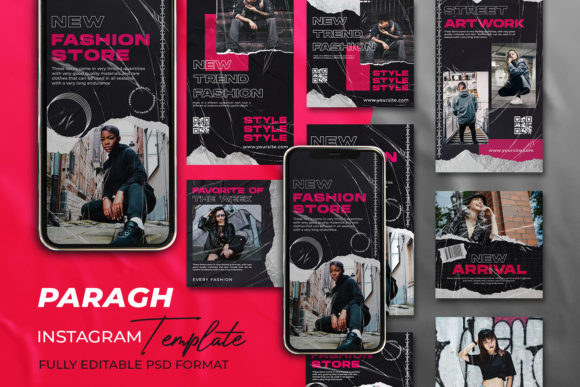
Mastering Your Instagram Ad Banner for Maximum Engagement
In the fast-paced world of social media marketing, your visual assets are often the first point of contact between your brand and a potential customer. An Instagram Ad Banner serves as a digital storefront window, instantly communicating your value proposition before a user even reads your caption. Whether you are a seasoned marketer, a small business owner, or a creative freelancer, the quality of this asset can dictate the success of your campaign. However, simply having a design is not enough; understanding the technical specifications and strategic application is where many creators stumble. This guide aims to clarify the process, helping you avoid common pitfalls while leveraging high-quality templates effectively.
Many individuals dive into creating social media content with enthusiasm but lack the technical foresight required for professional results. A frequent misunderstanding involves the file formats and resolution needed for crisp, clear imagery on high-definition screens. When you download a premium template, you might encounter files labeled as AI, EPS, or PSD. Ignoring the importance of these formats can lead to significant headaches later. For instance, relying solely on a flattened JPEG image means you lose the ability to edit text, swap colors, or rearrange elements without starting from scratch. This limitation severely hampers your ability to A/B test different headlines or adapt the design for various promotions.
The Critical Importance of File Formats and Resolution
One of the most overlooked details when selecting an Instagram Ad Banner template is the source file type. Professional templates often come in vector formats like AI (Adobe Illustrator) or EPS. These formats are resolution-independent, meaning they can be scaled up or down without losing quality. In contrast, raster images (like standard photos) become pixelated when enlarged. If you attempt to stretch a low-resolution graphic to fit a story format or a larger display ad, the result is a blurry, unprofessional appearance that damages brand credibility.
Furthermore, color mode is a technical specification that frequently causes confusion. Digital screens operate on the RGB (Red, Green, Blue) color model, while print materials use CMYK. Using a template designed for print (CMYK) on Instagram can result in dull, washed-out colors that do not pop on mobile devices. Always ensure your working file is set to RGB Color Mode to guarantee vibrant visuals that capture attention in a crowded feed. A template offering 300 DPI is excellent for print readiness, but for social media, the pixel dimensions (typically 1080×1080 PX for square posts) are the primary metric for clarity.
- Editable Elements: Ensure the template allows you to modify text layers, shapes, and images independently.
- Organization: Look for well-organized layer structures in AI or EPS files to save time during editing.
- Compatibility: Verify that you have the necessary software (like Adobe Illustrator) to open and edit vector files.
Avoiding the "Set It and Forget It" Mentality
A common mistake among beginners and even some professionals is treating a template as a final product rather than a starting point. Downloading a "Ready to Use" template does not mean you should publish it exactly as is. If hundreds of other users download the same popular template, your brand risks looking generic. The true value of a customizable template lies in its adaptability. You must inject your unique brand identity into the design. This involves changing the color palette to match your brand guidelines, swapping out stock placeholders for your actual product photography, and rewriting the copy to speak directly to your specific audience.
Consider the scenario of a local bakery using a generic food template. If they leave the default stock photo of a cupcake that looks nothing like their actual products, customers may feel misled upon visiting the store. This disconnect reduces trust and conversion rates. Instead, use the editable features to insert high-quality images of your best-selling items. The template provides the structure and balance, but your content provides the authenticity.
Strategic Customization for Better Results
Efficiency in design does not mean sacrificing uniqueness. When you have access to fully editable AI and EPS files, you gain the power to iterate quickly. Marketing is rarely a one-and-done endeavor; it requires testing. You might find that a bold red call-to-action button performs better than a subtle blue one, or that a minimalist layout converts better than a busy one. With a rigid, non-editable file, making these changes is impossible without hiring a designer. With a well-structured template, you can make these adjustments in minutes.
It is also vital to check the hierarchy of information within the banner. A frequent error is cluttering the design with too much text. Instagram users scroll quickly; your message must be digestible in under two seconds. Use the template's existing layout to guide where your headline, subheadline, and call-to-action sit. If the template feels too crowded after adding your text, do not be afraid to remove decorative elements or resize text boxes. The goal is clarity, not complexity.
- Review the Layers: Before starting, open the file and familiarize yourself with the layer organization. Rename layers if necessary to keep track of your changes.
- Replace Placeholders: Immediately swap out dummy text and images. This helps you visualize the final result more accurately.
- Check Contrast: Ensure your text stands out clearly against the background. Poor contrast is a major accessibility issue and reduces readability.
- Export Correctly: Once edited, export your final design as a high-quality PNG or JPG optimized for web use, ensuring the file size is manageable for quick loading.
Making Informed Decisions Before Downloading
Before committing to a download or purchase, evaluate the template's description carefully. Does it explicitly state that all main elements are editable? Are the fonts used included, or do you need to purchase separate licenses? Some templates use premium fonts that may require a subscription or one-time fee. Overlooking this detail can lead to unexpected costs or the frustration of having to find font alternatives that match the original design intent. Additionally, verify the dimensions. While 1080×1080 PX is standard for feed posts, ensure the template can be easily adapted if you plan to run stories (1080×1920 PX) or landscape ads.
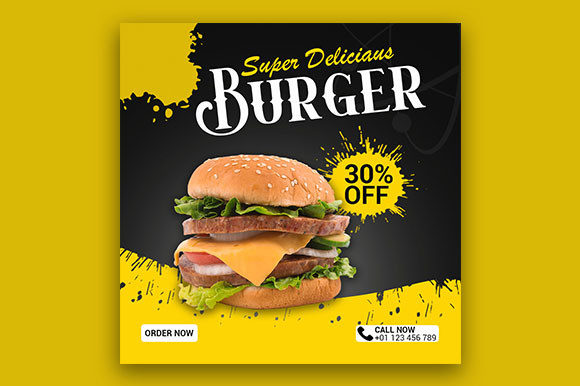
Another aspect to consider is the licensing agreement. Most templates are for personal or commercial use, but there may be restrictions on reselling the template itself or using it for certain types of sensitive content. Reading the fine print protects you from legal issues down the line. Remember, the image files shown in the preview are often not included in the main download folder. You will need to source your own photography or illustrations. Plan ahead by gathering your assets before you begin editing to streamline your workflow.
Ultimately, an Instagram Ad Banner is a tool for communication. Its effectiveness depends on how well you utilize the resources available to you. By choosing high-quality, editable templates and avoiding the trap of generic usage, you elevate your brand's presentation. Take the time to understand the technical requirements, customize the design to reflect your unique voice, and always prioritize clarity and relevance. With the right approach, these templates become powerful assets that drive engagement, build trust, and support your broader marketing goals.